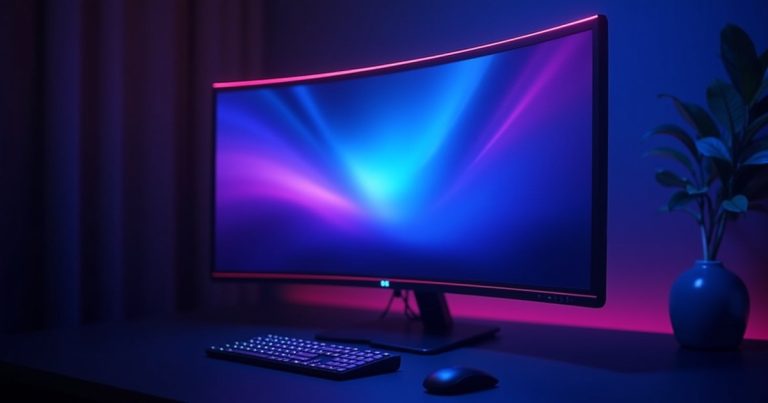
The AOC 24G2SP is the best all-round gaming monitor under $200 — 24″, 1080p, 165Hz IPS for around $159. If you want 1440p, the MSI G274QPF-E2 squeezes in at ~$189. Esports players who need maximum refresh rate should look at the Acer Nitro XV252Q F at ~$199 with a 390Hz panel.
A gaming monitor is the last place you should cheap out — it’s the thing you stare at for every single session. But “cheap” and “bad” aren’t the same thing in 2026. The sub-$200 monitor market has matured significantly, and you can now get fast IPS panels, 144Hz or higher refresh rates, and even 1440p resolution without breaking the bank.
We’ve compared the current market to find monitors that balance speed, color quality, and price. Every pick below is available new with a manufacturer warranty — no refurbs, no grey-market imports.
Best Gaming Monitors Under $200 — At a Glance
| Monitor | Price | Size / Res | Refresh Rate | Panel | Best For |
|---|---|---|---|---|---|
| AOC 24G2SP | ~$159 | 24″ / 1080p | 165Hz | IPS | Best overall |
| MSI G274QPF-E2 | ~$189 | 27″ / 1440p | 180Hz | IPS | Best 1440p value |
| Acer Nitro XV252Q F | ~$199 | 24.5″ / 1080p | 390Hz | IPS | Esports / competitive |
| LG 27GN800-B | ~$185 | 27″ / 1440p | 144Hz | Nano IPS | Color quality |
| BenQ EW2480 | ~$149 | 24″ / 1080p | 75Hz | IPS | Eye comfort / work+play |
1. AOC 24G2SP — Best Overall Gaming Monitor Under $200
AOC 24G2SP — 24″ 1080p 165Hz IPS
The AOC 24G2SP is the monitor most budget gamers should buy without overthinking it. It’s a 24-inch IPS panel running at 165Hz with a 1ms MPRT response time — that combination gives you accurate colors and smooth motion that you simply don’t get with older TN alternatives at this price.
AMD FreeSync Premium is baked in, and G-Sync Compatibility works for Nvidia users too. The stand adjusts for height and tilt. It covers around 99% sRGB — a meaningful step up from the washed-out color of budget TN panels.
If you’re pairing this with one of our top budget GPUs under $200, this monitor will use every frame your card can produce at 1080p.
2. MSI G274QPF-E2 — Best 1440p Gaming Monitor Under $200
MSI G274QPF-E2 — 27″ 1440p 180Hz Rapid IPS
A 27-inch 1440p monitor at 180Hz for under $190 would have been impossible two years ago. The MSI G274QPF-E2 changes the value equation entirely. It uses a Rapid IPS panel — faster pixel response than standard IPS — and pushes 2560×1440 at up to 180Hz.
1440p is the sweet spot for gaming in 2026: sharper than 1080p, far less demanding than 4K, and ideal for 27-inch viewing distances. You’ll want a capable GPU to drive it — we recommend at least an RTX 4060 or RX 7600 for consistent high-fps 1440p.
The stand is a bit basic, and there’s no USB hub, but at this price those are acceptable trade-offs for what is genuinely a premium-tier panel.
3. Acer Nitro XV252Q F — Best for Competitive / Esports Gaming
Acer Nitro XV252Q F — 24.5″ 1080p 390Hz IPS
390Hz is not a typo. The XV252Q F is a legitimate esports-tier monitor available for under $200 — an almost absurd value for competitive FPS players. At 390Hz, every mouse movement is reflected almost instantaneously on screen, and motion clarity in fast-paced titles like CS2, Valorant, or Apex Legends is noticeably better than 144Hz or even 240Hz.
The catch: you won’t hit 390fps in GPU-intensive titles — this monitor is designed for lightweight esports games where your system can actually produce hundreds of frames per second. At 1080p, the image quality is sharp for the size. AMD FreeSync Premium Pro and G-Sync Compatible are both supported.
4. LG 27GN800-B — Best Color Quality Under $200
LG 27GN800-B — 27″ 1440p 144Hz Nano IPS
LG’s Nano IPS technology adds a layer of nanoparticles to the panel backlight to widen the color gamut — the result is noticeably richer, more accurate colors than standard IPS at a similar price. The 27GN800-B covers 98% DCI-P3, making it one of the best color performers under $200 period — not just for gaming but for any creative work.
144Hz is slightly behind the MSI’s 180Hz, but the color advantage is real and visible. The ergonomic stand adjusts for height, tilt, pivot, and swivel — a significant quality-of-life feature you rarely see at this price. For a monitor you’ll use for both gaming and content creation, this is the pick.
5. BenQ EW2480 — Best for Eye Comfort and Work-From-Home
BenQ EW2480 — 24″ 1080p 75Hz IPS HDRi
Not everyone needs 165Hz. If you split screen time between gaming, video editing, spreadsheets, and streaming, the BenQ EW2480’s HDRi technology and eye-care features make long sessions significantly more comfortable. BenQ’s proprietary Brightness Intelligence Plus (B.I.+) automatically adjusts brightness and color temperature based on ambient light.
At $149 it’s the cheapest pick on this list. The 75Hz cap means it’s not right for competitive gaming — but for casual gaming, remote work, and content consumption it’s a mature, well-designed monitor. USB-C input is a bonus for MacBook or laptop users.
Frequently Asked Questions
Is 144Hz worth it over 60Hz for gaming?
Yes — unmistakably so once you’ve experienced it. Motion is dramatically smoother, input lag feels lower, and fast-paced games like shooters or racing titles feel fundamentally more responsive. The difference between 60Hz and 144Hz is far more noticeable than the difference between 144Hz and 240Hz.
Should I get 1080p or 1440p for gaming under $200?
It depends on your GPU. If you’re running a sub-$200 GPU (RX 6600, RX 6650 XT), stick to 1080p — the card will struggle at 1440p in demanding titles. If you have an RTX 4060 or RX 7600, a 1440p monitor like the MSI G274QPF-E2 is worth the extra $30 over a 1080p panel.
IPS vs VA vs TN — which panel type is best for gaming?
IPS panels are the best all-round choice in 2026 — fast response times, wide viewing angles, and accurate colors. TN panels are cheaper and faster but have poor colors and narrow viewing angles. VA panels have excellent contrast (deep blacks) but slower pixel response causing “smearing” in fast motion. For gaming at this budget, IPS is the clear winner.
Final Thoughts: The AOC 24G2SP is the right choice for most gamers — it’s fast, color-accurate, and priced fairly at ~$159. If your GPU can handle 1440p, spend the extra $30 on the MSI G274QPF-E2 — it’s one of the best value upgrades in PC gaming right now. Competitive FPS players who want the highest possible refresh rate should go for the Acer Nitro XV252Q F and its 390Hz panel.
Compare Gaming Monitor Prices Now
Check current deals across Amazon, Newegg, and Best Buy before you buy.
Prices shown are approximate street prices as of April 2026 and may vary. Always verify current prices before purchasing. BonBargains is not responsible for price changes after publication.