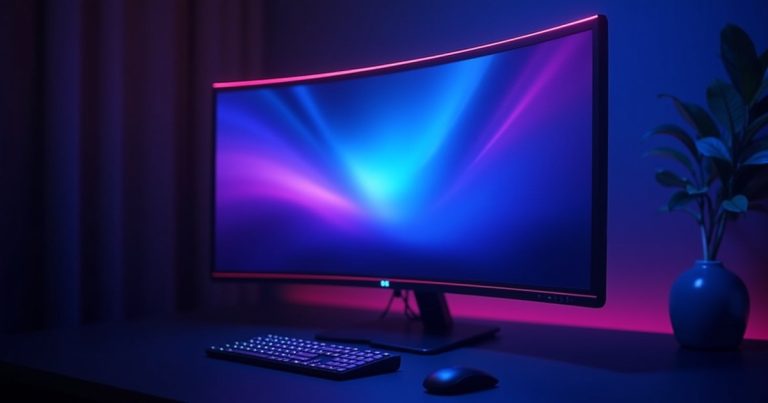
Best overall 4K under $300: LG 27UP85NP-W 27″ (~$279) — IPS, USB-C 96W, accurate color. Best for creators: Dell S2722QC 27″ (~$289) — USB-C, factory calibrated. Best budget 4K: Acer ET322QK (~$239) — 32″, VA panel, good contrast for movies.
4K monitors under $300 have crossed the threshold of genuine usability. A 27-inch 4K IPS panel at $279 with USB-C 96W charging was a $500+ item just three years ago. For productivity work — code, photo editing, document processing, creative applications — 4K at 27″ provides pixel density that makes text crisp and readable without scaling at 125–150% on Windows.
Best 4K Monitors Under $300 — 2026
1. LG 27UP85NP-W 27″ 4K IPS — ~$279 | Best Overall
The LG 27UP85NP-W is the benchmark 4K monitor recommendation at this price. The IPS panel covers 95% DCI-P3 — wide enough for basic photo and video editing, good enough for Premiere Pro and Lightroom without professional-grade calibration. The 96W USB-C port charges a MacBook Pro or Dell XPS at full speed while transmitting display signal — reducing cable clutter to a single cable. HDMI 2.0 and DisplayPort 1.4 are also included for desktop and gaming use.
The monitor is 60Hz only — not a gaming panel. For productivity, creative work, or general use, 60Hz is entirely adequate. The sRGB and DCI-P3 presets are accurate out of the box. The stand adjusts for tilt, height, and pivot (portrait orientation). LG’s build quality at this price point is reliable and the display has no significant weaknesses for office or creative work.
2. Dell S2722QC 27″ 4K IPS — ~$289 | Best for Color Accuracy
Dell’s S2722QC is factory calibrated to a ΔE <2 average — meaning colors are accurate enough for professional creative work straight out of the box, without manual calibration. It covers 99% sRGB and 95% DCI-P3. The USB-C port delivers 65W charging. Build quality and reliability track records from Dell's UltraSharp-adjacent S-series are strong.
The Dell S2722QC is the pick if color accuracy for photography or video work is your primary concern. The $10 premium over the LG buys factory calibration certificates and slightly better color consistency across units. For general office use, the LG and Dell are effectively tied.
3. Acer ET322QK 32″ 4K VA — ~$239 | Best Budget / Biggest Screen
For the cost-conscious buyer who wants maximum screen real estate, the Acer ET322QK provides a 32-inch 4K VA panel at $239 — $40 less than the 27-inch IPS options. VA panels deliver better native contrast (typically 3000:1 vs IPS’s 1000:1), making blacks deeper for movie watching and gaming. The tradeoff: VA panels have narrower viewing angles and can show “smearing” on fast motion. For a productivity or media consumption monitor at a fixed viewing position, VA is entirely acceptable. Not recommended for graphic design requiring color accuracy.
Frequently Asked Questions
Do I need a powerful PC to run a 4K monitor?
For desktop/productivity use (browsers, Office, Lightroom), any modern PC with an integrated GPU (Intel Iris Xe, AMD Radeon Graphics, Apple M-series) handles 4K60 fine. For gaming at 4K, you’d need an RTX 4070 or better for smooth frame rates. The monitors above are productivity-focused 60Hz panels — they’ll work with any PC manufactured in the last 5 years.
Is 27″ or 32″ better for 4K?
27-inch 4K monitors have a PPI (pixels per inch) of ~163 — sharp enough that text requires no scaling on macOS and only 125% scaling on Windows for comfortable readability. 32-inch 4K monitors have ~138 PPI — slightly less sharp, requiring 125–150% scaling on Windows to avoid tiny text. For desk use at 60–70cm viewing distance, 27″ is generally the better choice. At 80–100cm, 32″ is more comfortable without straining to read text.
Final Thoughts: The LG 27UP85NP-W is the clearest overall recommendation at $279 — wide color gamut, 96W USB-C, accurate IPS panel, and a name-brand track record. For color-critical creative work, spend the extra $10 for the Dell S2722QC’s factory calibration. For budget-first buyers who want the biggest screen, the Acer 32″ VA panel delivers at $239.
Find the Best 4K Monitor Price
Monitor prices change frequently — compare current prices before buying.
Prices shown are approximate as of May 2026. Monitor models and availability change regularly — verify before purchasing.