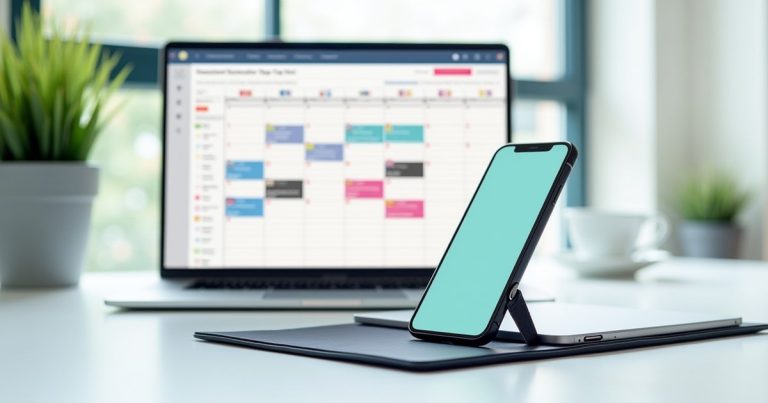
Best free: Calendly free tier (1 event type, unlimited bookings). Best lifetime deal: TidyCal (~$29 one-time via AppSumo) — unlimited event types, unlimited bookings, permanent license. Best paid: Calendly Standard (~$10/month) or Cal.com (open-source, self-hostable, free).
A scheduling app eliminates the back-and-forth of “are you free Tuesday?” emails by giving clients a self-service booking page. For freelancers with regular client calls — discovery calls, project check-ins, consultations — a scheduling tool saves 1–2 hours per week of coordination overhead. The right tool depends on how many event types you need and whether you’ll pay monthly or want a one-time purchase.
Best Scheduling Apps for Freelancers
1. Calendly — Free Tier Available | Most Recognised
Calendly is the most widely recognised scheduling tool — your clients will almost certainly have used it before, reducing friction. The free tier allows one active event type (e.g., “30-minute discovery call”) with unlimited bookings — sufficient for freelancers with a single call format.
Calendly Standard at $10/month adds unlimited event types, SMS reminders, custom branding, and Stripe/PayPal payment collection at booking. The paid tier is worth it for service businesses that offer multiple call lengths (discovery calls, project reviews, consultations) and want to look professional with branded booking pages. Integrates with Google Calendar, Outlook, iCloud, Zoom, Google Meet, and Salesforce.
2. TidyCal — ~$29 One-Time (AppSumo) | Best Value
TidyCal is the standout scheduling value for subscription-averse freelancers. Originally launched via AppSumo with a lifetime deal, TidyCal Personal provides unlimited event types, unlimited bookings, calendar integrations, and payment collection for a one-time $29 fee. No monthly payments, no annual renewals — pay once and use forever.
The interface is simpler than Calendly — which is an advantage for most solo freelancers who don’t need Calendly’s enterprise features. Payment integration (Stripe, PayPal) allows clients to pay when booking — ideal for paid consultations. Check AppSumo for the current lifetime deal price, as it occasionally runs promotional pricing.
3. Cal.com — Free (Open Source) | Best for Tech-Savvy Freelancers
Cal.com is an open-source Calendly alternative. You can use it free via cal.com (their hosted version — generous free tier with unlimited event types), or self-host it on your own server for complete control and privacy. The hosted free tier includes unlimited bookings, multiple event types, calendar integrations, and team scheduling features.
Cal.com’s UI has improved significantly in recent updates and now rivals Calendly in design quality. For freelancers who are privacy-conscious or want maximum control, the open-source self-hosted option is unique in this space. Active development community means features arrive faster than in proprietary alternatives.
4. Acuity Scheduling — ~$16/month | Best for Service Businesses
Squarespace’s Acuity Scheduling is purpose-built for service businesses that need intake forms, package booking, gift certificates, and class/group scheduling alongside individual appointment booking. For freelancers whose services require pre-booking information (photographers, coaches, therapists), Acuity’s intake forms integrated directly into the booking flow are more flexible than Calendly’s equivalent. The Squarespace integration is seamless if you’re using Squarespace for your website.
Frequently Asked Questions
Is a free scheduling tool enough for a solo freelancer?
Yes — Calendly’s free tier (1 event type) or Cal.com’s free tier (unlimited event types) cover most solo freelancer needs. The only time to upgrade is if you need multiple distinct call types (discovery, project check-in, paid consultation) simultaneously, or if you want custom branding and payment collection at booking.
Can I accept payment through a scheduling app?
Yes — Calendly Standard, TidyCal, Cal.com (with Stripe), and Acuity all support payment collection at booking via Stripe and/or PayPal. Clients pay when they book, reducing no-shows and eliminating post-call invoicing for paid consultations. This feature alone pays for the upgrade from a free tier for many service-based freelancers.
Final Thoughts: For most freelancers: start with Calendly’s free tier. If you need multiple event types and want to avoid monthly fees, grab TidyCal’s AppSumo lifetime deal at ~$29 — it’s exceptional value. For maximum flexibility and privacy, Cal.com’s free tier with self-hosting is the power-user choice.
Stop Wasting Time on Scheduling Emails
Calendly’s free tier is up and running in under 10 minutes — no credit card needed.
Pricing shown is approximate as of May 2026. AppSumo lifetime deals have limited availability — verify current pricing before purchasing.